Performance Max is Google’s all-in-one campaign type that combines Search, Display, YouTube, Shopping, Discovery and Gmail into a single black-box automated campaign. For e-commerce, it has been transformative. For B2B, the verdict is more nuanced — and the pattern of teams launching Performance Max, hating it, and switching back to standard campaigns has become almost a cliché in the B2B space.
But Performance Max isn’t universally bad for B2B. There are specific scenarios where it works well, and specific guardrails that turn it from a budget incinerator into a useful tool. The teams getting value from it have figured out which scenarios apply to them and which don’t.
This guide is an honest evaluation of Performance Max for B2B in 2026 — when it works, when it doesn’t, the configuration and signal-feeding required to make it work, and how to read the results honestly so you don’t credit it for conversions it didn’t cause.
How Performance Max works
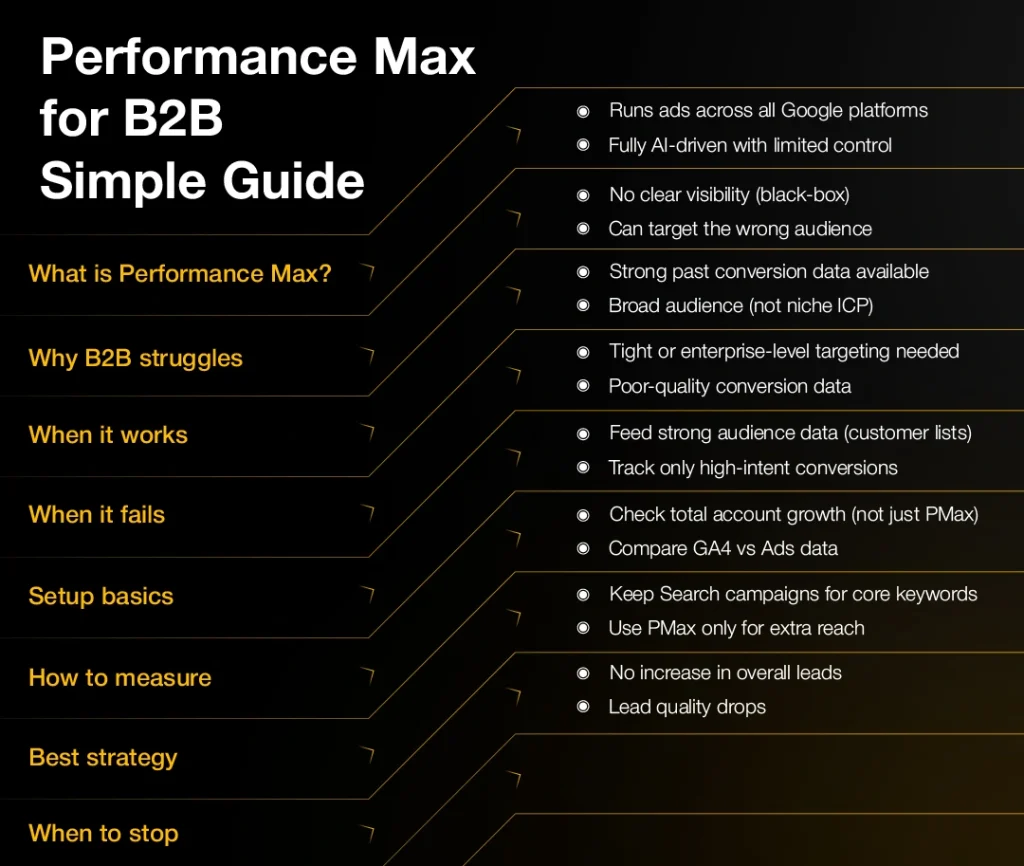
Performance Max takes audience signals, creative assets and a conversion goal, and lets Google’s machine learning decide where, when and to whom to show ads across all of Google’s surfaces. There are no manual targeting controls and limited reporting transparency — you can’t see which placements, which queries, or which audience segments are driving performance, only the aggregate.
For products with broad reach and clear conversion signals, this works well. For B2B with tight ICPs, the lack of targeting control is the central tension — Google’s AI may decide your best audience is people searching for free templates, and you have no way to stop it without going negative-keyword by negative-keyword.
When Performance Max works for B2B
Self-serve SaaS, broad B2B services, B2B products with consumer-style funnels, and B2B brands with high search volume are usually good fits. Performance Max excels at incremental reach beyond your standard search campaigns when the underlying conversion model is solid.
When Performance Max fails for B2B
It fails for tight enterprise ICPs, niche industries, regulated industries (legal, finance, healthcare), and any motion where contact-level targeting matters. The black-box nature also makes it hard to optimise — you can’t see what’s working in detail, only what’s converting overall.
It also fails when the conversion signal you’re feeding it is noisy. If your conversions include lots of low-quality form fills, Performance Max will optimise for more of them. The garbage-in-garbage-out failure mode is much more severe with PMax than with standard search campaigns.
How to set it up if you test it
Feed Performance Max as much data as possible: customer lists, your ICP definition (via custom segments), brand exclusions (so it doesn’t bid against your own brand search), and high-quality creative assets across multiple formats.
- Customer match: upload at least your last 5,000 closed-won customers as a ‘similar audiences’ signal.
- Audience signals: build custom segments from competitor URLs, your ICP industries, and intent keywords.
- Brand exclusion list: critical — without it, PMax cannibalises your brand search.
- Asset coverage: 5+ headlines, 5+ descriptions, 4+ images, 1+ video (15s and 30s versions).
- Conversion goal: use a primary conversion that requires meaningful intent (demo request, qualified form, calendar booking) — not newsletter signup.
- Target CPA: set 10-15% above current CPL and let it learn for 4-6 weeks before judging.
How to read the results honestly
Performance Max often gets credit for conversions that would have happened anyway through brand search. Always exclude brand terms with negative keyword scripts, and report Performance Max impact net of branded conversions for an honest read.
The other common attribution issue: PMax pulls in conversions from the Display and Discovery network that may have been view-through, not click-driven. Compare PMax conversions to overall account incrementality (using GA4 or your attribution platform) before deciding it’s working.
Hybrid: PMax + standard campaigns
The structure that works most often for B2B: keep your standard Search campaigns running on your high-intent commercial keywords (you keep targeting control where it matters most), and run PMax in parallel for incremental reach beyond those keywords.
Use brand-term exclusion in PMax. Use audience signals heavily. Set a budget cap that’s no more than 30% of your total Google spend until you’ve proven incrementality over 60+ days.
Reporting: what to ask Google to show you
Google has improved PMax reporting in 2025-2026. You can now see asset group performance, audience signal contribution, and search themes. Use these reports monthly. If a search theme is driving most of your PMax conversions but you also have a standard search campaign on similar terms, you may be paying twice for the same traffic.
When to pull the plug
If after 60-90 days PMax isn’t producing incremental conversions (i.e., overall account conversions haven’t grown by roughly the PMax conversion volume), turn it off and reallocate the budget. There’s no shame in this — many B2B accounts simply don’t suit PMax, and that’s a feature of the format, not a failure of execution.
FAQs
